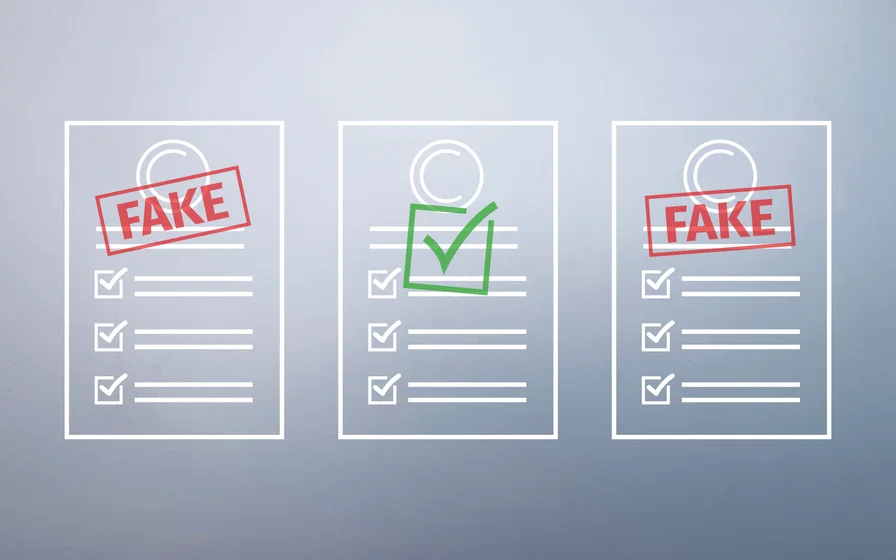
How to Spot Fake PDF: Five Hidden Signs of Document Tampering
The new reality of PDF and document fraud
A PDF can look perfect and still be lying.
That shift is not happening in a vacuum. As organizations keep moving onboarding, procurement, lending, hiring, vendor management, and contract workflows into remote and digital-first channels, they increasingly accept documents without the “old” friction that used to slow bad actors down—face-to-face interactions, stamped originals, and in-person context. Research on digital onboarding in financial services notes that digital onboarding is the gateway to online banking services and that identity fraud (impersonation using illegally obtained personal data) is a recurring risk in those remote flows.
At the same time, accessible generative AI has changed the economics of forgery. The FBI Internet Crime Complaint Center has explicitly warned that criminals exploit generative AI to commit fraud at larger scale and with higher believability, including by generating AI-made images and “identification documents” that support impersonation schemes. The Institute of Chartered Accountants in England and Wales has likewise described generative AI being used to produce fake documentation—pay slips, tax forms, receipts, invoices, and bank statements—and highlighted how realism can make detection difficult. The rise of ai generated content and ai generated pdf has introduced new challenges, requiring advanced detection methods to spot fake or manipulated documents.
The result is a practical problem for compliance teams, finance departments, HR, procurement, legal teams, fintech platforms, and any business processing high volumes of PDFs: “It looks real” is no longer a validation method.
The stakes are not hypothetical. In the Association of Certified Fraud Examiners (ACFE) 2024 occupational fraud research, a shift to remote work and internal control changes are listed among pandemic-related factors that contributed to fraud, and the report notes the median loss of frauds increased from 2022 to 2024. Those pressures—remote operations and control drift—are exactly where document-based workflows tend to break.
And the attack surface is broad:
- In payments, the European Payments Council highlights that invoicing and request-to-pay stages are exposed to IBAN manipulation, including tampering of QR codes.
- The Swiss National Cyber Security Centre has documented real-world cases where attackers manipulate invoices by changing both the IBAN and the QR code while keeping the document “remarkably authentic-looking.”
- The Financial Crimes Enforcement Network has long listed “altered bank statements” and altered/fraudulent earnings documentation (e.g., W‑2s and tax returns) among falsifications reported in mortgage loan fraud narratives.
- Forensic practitioners have also reported investigations involving electronically manipulated bank statements where descriptions, amounts, deposits, and balances were changed while maintaining a plausible roll-forward.
- Template farms are increasingly used to mass-produce fake documents, supplying forgeries that can be matched against known forgery databases, including those sourced from the dark web.
- Fraudsters target a wide range of documents, including utility bills, tax forms, bank statements, invoices, and IDs, so fraud detection tools must be able to handle diverse document types.
AI-powered technology can identify fraudulent documents in real-time. Common types of document fraud include fake IDs, forged bank statements, altered contracts, and backdated invoices.
Given this broad attack surface, organizations must ensure document authenticity to protect against evolving threats. It is critical to use AI-powered technology to detect fraud and identify high risk documents, especially in business-critical workflows.
The transition to internalize: modern PDF fraud is often invisible—unless you know where to look.
Why forensic signals matter more than visual cleanliness
A PDF is not just a screenshot of a page. It is a container of objects, metadata, and structural pointers that tell a reader how to reconstruct what you see. This structure is common to many digital documents, making it important to examine their properties and hidden metadata for signs of tampering or inconsistencies.
That distinction matters because PDF was engineered to support efficient edits. A forensic-focused study (hosted by the University of Tartu) explains that the PDF format supports incremental updates: modifications can be appended to the end of the file while the original structure and objects remain intact. New body, cross-reference, and trailer sections are added, and the trailer can include a /Prev pointer to the previous cross-reference table.

The PDF Association makes the same underlying idea concrete: each incremental update appends additional body/cross-reference/trailer sections, and prior PDF state can be linked via a /Prev entry in the trailer dictionary. An explainer on multiple trailers in PDFs clarifies that incremental updates append new or modified objects and use /Prev pointers to chain trailers—so a file can include a history of edits without rewriting the whole document.
So when you “visually inspect” a PDF, you are only judging the final rendered output. Forensic document analysis instead asks: What objects exist? What changed? What tool created the file? Does the structure look consistent with a genuine document from that issuer? Detecting alterations and document manipulation are key goals of forensic analysis, as these can reveal fraudulent or suspicious modifications within the file.
This is why PDFs can be visually clean while still containing manipulation artifacts—especially in metadata, layers/overlays, fonts, raster inserts, and structural integrity. Machine learning models now analyze PDFs for signs of forgery, detecting alterations that are invisible to the human eye. Advanced algorithms can validate document authenticity quickly, often in under 10 seconds.
Five hidden signs you can’t see at a glance
No single signal proves fraud. But patterns—especially combinations—are hard to fake consistently across metadata, object structure, typography, and file internals. Analyzing key information within pdf documents is crucial to spot fake pdf files and detect tampering or manipulation.
Hidden sign: inconsistent or suspicious metadata
PDFs can store “data about data”: who created the file, what produced it, and when it was created or modified. The University of Tartu study describes the /Info object (declared in the trailer) as a document information dictionary with optional attributes including /Creator, /Producer, /CreationDate, and /ModDate, alongside /Title, /Author, /Subject, and more.
What to look for in practice:
- The business date on the document (e.g., invoice date, payroll period) does not match a plausible CreationDate or ModDate.
- Multiple timestamps suggest the file was assembled or re-exported in ways that don’t align with the expected workflow (e.g., a “generated by payroll system” document that shows later modification activity).
- Producer/creator hints that do not match the claimed origin (for example, a bank statement “issued by Bank X” but produced by general-purpose authoring software).
You can check properties in Adobe Reader by navigating to File -> Properties to access metadata including author information.
Be careful, though: metadata is useful but not decisive. A digital forensics write-up on PDF tampering warns that metadata timestamps can be misleading—simple actions like downloading can update modification times, and some editors may not update creator/producer fields consistently—so metadata should be treated as a clue, not a verdict.
This is where automation helps. PDFchecker explicitly describes its verification step as examining metadata alongside internal signals (text structure, embedded signatures, indicators of manipulation), which is the right overall direction for scalable triage.
Hidden sign: layering and object overlays
A common forgery pattern is not “editing” the original text—it is covering it.
PDF provides mechanisms for controlling visibility of objects. One such mechanism is optional content (“layers”). An explainer on PDF layers notes that a PDF object (text, images, vector graphics) can be hidden or shown depending on the state of an Optional Content Group (OCG). Another guide emphasizes that layers (OCGs) can group images or annotations and control visibility based on conditions such as viewing versus printing, or user interaction.
Why this matters for fraud: overlays can place new content on top of original content, visually replacing key fields (amounts, dates, payees, account numbers) while leaving the underlying objects present in the file.
A practical digital-forensics example describes how PDF files can contain added overlay images (for example, white rectangles) that obscure underlying content—detectable when examining the objects rather than only the rendered page.
Layer/overlay tampering often escapes manual review because nothing “looks wrong” at normal zoom. The file, however, is telling a different story at the object level.
Hidden sign: font and formatting inconsistencies
If overlays and edits are the “how,” typography is often the “tell.”
Forensic guidance on manipulated bank statements recommends watching for slight differences in font types and sizes—because authentic statements tend to be generated consistently, while edits frequently introduce typographic drift (even if subtle).
Academic work on font forgery detection makes the principle explicit: a clue to document forgery is finding characters, words, or sentences with font properties that differ from their surrounding context.
In business PDFs, the red flags are often quiet:
- A single row in a table where spacing and kerning “feel” a fraction off.
- Numeric fields where decimals stop lining up perfectly.
- A repeated label that appears identical—but is actually drawn with a different font object or encoding in the PDF structure.
Visual inspection can help spot inconsistencies in fonts, sizes, colors, or alignment, which may indicate that text was modified in a document. Use Optical Character Recognition (OCR) tools to identify suspicious or manipulated text in scanned PDFs and to spot inconsistencies that may not be visible to the naked eye.
Scaling this manually is painful. PDFchecker’s own checklist explicitly includes “font and formatting anomalies” as a detection target, which is exactly the class of signal that benefits from algorithmic comparison across large volumes.
Hidden sign: image-based replacements
Fraudsters don’t always fight the PDF’s text structure. Sometimes they bypass it.
A common tactic is converting a portion of the document into an image (or pasting a screenshot) and inserting it back into the PDF. The human eye sees a familiar layout; the file becomes a hybrid of vector text and raster blocks.
Two technical realities make this detectable:
- Many PDFs are “born-digital” (text objects, fonts, vectors). Replacing one region with a raster image often changes the internal composition of the page in ways that structural inspection can surface.
- “Scanned PDFs” are explicitly characterized as images of content (often with OCR’ed invisible text layered on top for selection/search). That hybrid composition is normal for scans—but suspicious when only a portion of a traditionally digital document suddenly behaves like a scan.
From an image-forensics perspective, academics have studied copy–move forgeries and other manipulations in scanned text documents—highlighting that tampering can occur within image-like representations of documents and requires different detection approaches than plain text comparison.
Practical indicators include pixelation or blurriness in images or text, which may indicate they have been copied or pasted from another source. Pixelation boundaries, inconsistent resolution, and compression artifacts that don’t match surrounding content are also red flags. The key point for businesses: even when it looks sharp, a raster insert can be detectable through document structure analysis.
Advanced verification tools support pdf and image documents, allowing users to verify manipulated files in real-time. These tools help detect suspicious use of editing software and spot fake pdf files efficiently.
Hidden sign: structural and data integrity anomalies
This is the deepest layer, and often the most conclusive.
PDFs have internal structures that let readers find objects quickly: cross-reference tables (or streams), trailers, and pointers such as startxref. The University of Tartu study explains the role of the cross-reference table and trailer, and explicitly describes incremental updates as appended blocks with /Prev pointing to prior cross-reference tables. The PDF Association cheat sheet similarly visualizes file structure (body, cross-reference section, trailer) and notes that each incremental update appends new sections and links to the prior state via /Prev.
Why would a business care?
Because structural anomalies often show up when a PDF has been modified, reconstructed, or stitched together:
- Abnormal object counts or unexpected changes in cross-reference/trailer patterns for a document type that should be consistently generated.
- Strange incremental update chains that don’t match an expected business workflow.
- Missing or invalid digital signatures where you would expect a signed workflow.
Anomalies detected in the structure, such as document modified signals, can indicate manipulation. Suspicious use of editing software like Adobe Photoshop may also be a sign of tampering.
On signatures: the European Telecommunications Standards Institute PAdES standard explicitly describes PAdES digital signatures as building on PDF signatures specified in ISO PDF standards, supporting business and governmental use cases. A digital forensics analysis of PDF tampering underscores the practical implication: modifications after signing can invalidate a signature, turning the signature panel into a high-signal integrity check.
Verifying digital signatures in Adobe Acrobat can indicate if a document is authentic; a valid signature is marked with a green checkmark.
PDFchecker also lists “invalid digital signatures” and “document alterations and manipulation” among the items it checks for, which aligns with the idea of using structural and signature integrity as a scalable control point.
To identify a fake or manipulated PDF, check for visual inconsistencies, document properties anomalies, and verify digital signatures.
Why manual review breaks at scale
Manual review is not useless. It’s just structurally outmatched.
In digital onboarding contexts, researchers note bluntly that manually checking every person’s documents can be time- and resource-consuming and not feasible at sufficient volume. Similar scaling realities show up in finance ops and procurement: invoices arrive in batches, vendor changes happen near quarter-end, HR onboarding spikes seasonally, and the temptation is always to “just approve it” to keep the business moving.
Meanwhile, fraud adapts to the operational environment. ACFE’s 2024 findings list internal control changes, operating process changes, and the shift to remote work as fraud-contributing factors—exactly the kind of turbulence that increases reliance on document submissions and weakens review consistency.
Fraudsters understand this. They optimize for speed, plausibility, and low reviewer attention. They don’t need to beat your best reviewer on their best day; they need to slip through your average reviewer on an average Tuesday.
This is the central limitation of visual checks: humans review what is visible. Modern tampering often lives in what is not.
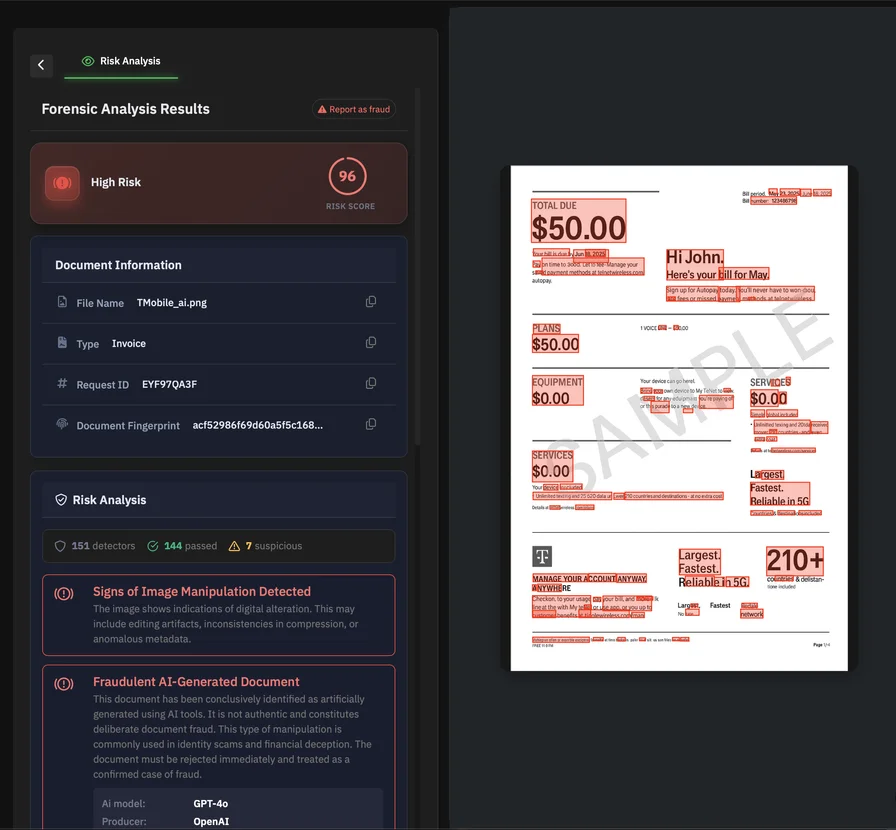
That’s also the practical argument for automated PDF forensics. AI-powered detection leverages advanced machine learning models to analyze PDFs for subtle alterations that are not visible to the naked eye, achieving industry-leading accuracy in fraud detection. PDFchecker describes a workflow where documents are analyzed in seconds, examining metadata, text structure, embedded signatures, and manipulation indicators, producing a report with the findings. Automated tools also provide fraud confidence scores, quantifying the likelihood of manipulation or digital fraud. Documents are processed with secure handling practices to ensure privacy and data security, and AI-powered platforms can analyze documents in seconds, detecting fraud with industry-leading accuracy and security.
Using a document database for verification
In the fight against document fraud, a document database is a powerful ally. Rather than relying solely on visual inspection or isolated forensic signals, organizations can leverage a comprehensive database of known genuine documents to validate document authenticity at scale. This approach is especially critical when dealing with high-stakes financial documents like bank statements, official documents such as IDs and passports, and other important documents where the cost of accepting a fake document can be significant.
The process is straightforward: when a document—whether a PDF, image document, or other digital format—needs to be verified, it is uploaded through a secure interface. This can be as simple as dragging and dropping the file or browsing files from local storage or cloud services like Google Drive. Once uploaded, advanced algorithms work quickly to analyze the document’s structure, composition, and context, comparing it against the document database. This deep analysis goes beyond surface-level content, examining the underlying structure for signs of document tampering, digital manipulation, or the use of suspicious editing software.
Machine learning models and industry-leading algorithms enhance fraud detection by learning from patterns in both genuine and fraudulent documents. Over time, these systems adapt to new tactics used in document forgery, increasing their accuracy and resilience against evolving threats. Optical character recognition (OCR) technology further strengthens the process by converting scanned or image-based documents into searchable text, allowing for more detailed comparison and validation.
The verification results are delivered rapidly, providing a clear indication of whether the document is genuine or if it shows signs of fraud. Each result includes a confidence score, giving organizations a quantifiable measure of certainty in the assessment. This not only helps in detecting document forgery but also supports final verification steps and audit trails, ensuring that only genuine documents are accepted and processed.
By integrating a document database into their verification workflows, organizations can validate document authenticity, detect fake documents, and prevent document fraud with greater confidence. This approach supports a wide range of document types and formats, enhances data security, and ensures that important documents are processed securely and efficiently. Ultimately, leveraging a document database for verification is a critical strategy for any business seeking to protect itself from document tampering and maintain trust in its digital operations.
Building a practical PDF fraud defense
A strong defense is less about one perfect test and more about a layered workflow that forces consistency, creates evidence, and scales.
The Association of Certified Fraud Examiners has repeatedly found that proactive controls correlate with reduced fraud losses and shorter fraud duration, reinforcing the value of designing controls that operate continuously—not just after an incident.
For organizations handling large volumes of PDFs, the practical playbook looks like this:
Stop treating “looks real” as step one. Treat it as precondition zero. The moment a document materially influences a decision (payment, hiring, underwriting, onboarding approval, contract execution), require at least one non-visual validation step to verify documents and perform document authentication.
Adopt structural checks as policy, not as escalation. Use automated analysis to flag suspicious metadata, font anomalies, and signature problems consistently, then route only the risky cases to humans. This is exactly the value proposition behind PDFchecker’s focus on inconsistent metadata, font/formatting anomalies, invalid signatures, and manipulation indicators. AI technology can detect document forgery and ensure authenticity.
Integrate invoice-risk controls into payments workflows. When payment instructions come from PDF invoices, assume IBAN and QR-code manipulation is a realistic threat, and enforce verification steps (call-back, dual control, vendor master validation) before money moves. Both European payments threat reporting and government cyber guidance document this manipulation pattern.
Prefer integrity-bearing sources when possible. Digital signatures (when properly implemented and validated) can provide strong evidence of document integrity for certain workflows, and standards such as PAdES exist specifically to support interoperable PDF signatures in business/government contexts. Always verify the digital signature chain to confirm the document's authenticity and integrity.
Train teams on the right red flags. People don’t need to become PDF engineers, but they should recognize: “metadata mismatch,” “overlay suspicion,” “one-line font drift,” “sudden raster blocks,” and “missing/invalid signature.” Training adds value when it teaches what to escalate and what evidence to preserve.
Maintain auditability. When you reject or challenge a document, you want a clear record of what triggered concern—especially in regulated environments. Automated reporting (like PDFchecker’s described result output) supports that evidentiary posture.
For user workflows, leverage authenticity drag—allowing users to drag and drop files for quick document verification and authentication checks, which builds trust and reliability, especially for enterprise clients.
When considering technology, note that purpose-built tools for detecting document forgery are designed specifically for this task and do not rely on large language models, which may have limitations in identifying subtle document fraud.
Conclusion: Fraud is hidden—detection shouldn’t be
PDF fraud is evolving in the direction of subtlety. Generative AI raises realism and volume. Remote workflows raise exposure. And the most effective manipulations are often the ones that leave the page looking “clean.”
That’s why the best detection posture is forensic, not aesthetic.
When you look beyond the pixels—metadata consistency, layers and overlays, font structure, raster insertions, and the integrity of the PDF’s internal structure—you gain signals that are far harder to counterfeit across scale. The PDF format’s own capabilities (incremental updates, object layering, signatures) create both opportunities for manipulation and opportunities for detection.
For high-volume teams, the pragmatic path is straightforward: keep human judgment for context and escalation, and let automated PDF forensics do the heavy lifting. PDFchecker positions itself in that role by analyzing metadata, text structure, embedded signatures, and manipulation indicators, and by explicitly checking for inconsistency patterns that humans rarely catch reliably at speed.
Хотите узнать больше?
Изучите наши другие статьи о безопасности документов и предотвращении мошенничества.
Просмотреть все статьи